PDF forms: fill, create, flatten
Fill out any PDF form (text fields, checkboxes, radio buttons, lists), sign signature fields, create your own forms, and flatten inputs. Directly in DocuNest's unified PDF editor.
PDF forms: fill, create, flatten in DocuNest: 100% local processing on Windows, macOS, and Linux.
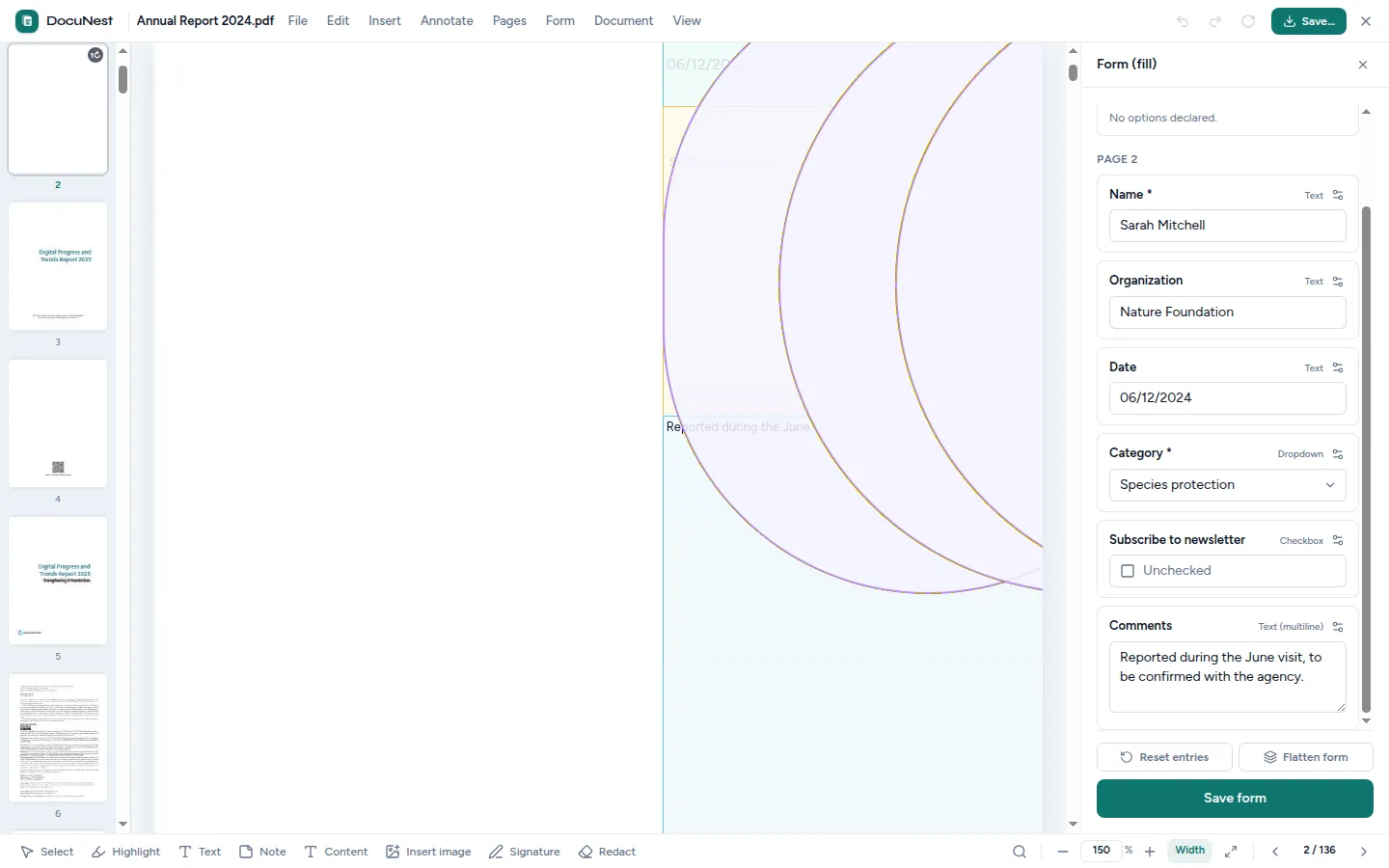
Built into the unified PDF editor. This tool is used directly within the DocuNest editor: open your PDF, apply the action, undo with Ctrl+Z if needed, then move on to any other tool — without ever reloading your file.
Discover the PDF editor →Features
Use cases
Administrative files
Fill out official forms and declarations directly on screen, without printing or scanning them.
Human resources
Create onboarding or internal survey forms, then collect readable responses.
Permanent inputs
Flatten a filled form before sending it so that it can no longer be modified by the recipient.
Frequently asked questions
Can I fill out any PDF form?
What does it mean to "flatten" a form?
Can I create my own forms?
Can I start from scratch after filling it out?
Similar tools
Sign a PDF
Sign your PDFs: draw your signature with your finger or mouse, or import an image (PNG, JPEG), then drag, resize, and rotate it on the page. Directly in DocuNest's unified PDF editor.
✏️Edit a PDF
Edit text and images in an existing PDF just like in a word processor: double-click a paragraph, retype, and the content shifts automatically. Directly in DocuNest's unified PDF editor.
📝Annotate a PDF
Add notes, free text, highlights, underlines, and strikethroughs to your PDFs — all editable afterwards. Directly in DocuNest's unified PDF editor (Annotation menu).
Stop sending your PDFs to the cloud.
Download DocuNest: the complete editor, 7-day trial, no credit card, no files leaving your machine.
Download for freeDownload DocuNest
No account required, no data collected.
Linux
Install a system package, or use the AppImage if you prefer a portable version.
Windows 10+, macOS 12+ (Apple Silicon), Linux (deb / rpm / AppImage)