Annotate a PDF
Add notes, free text, highlights, underlines, and strikethroughs to your PDFs — all editable afterwards. Directly in DocuNest's unified PDF editor (Annotation menu).
Annotate a PDF in DocuNest: 100% local processing on Windows, macOS, and Linux. Automatable via the docunest CLI.
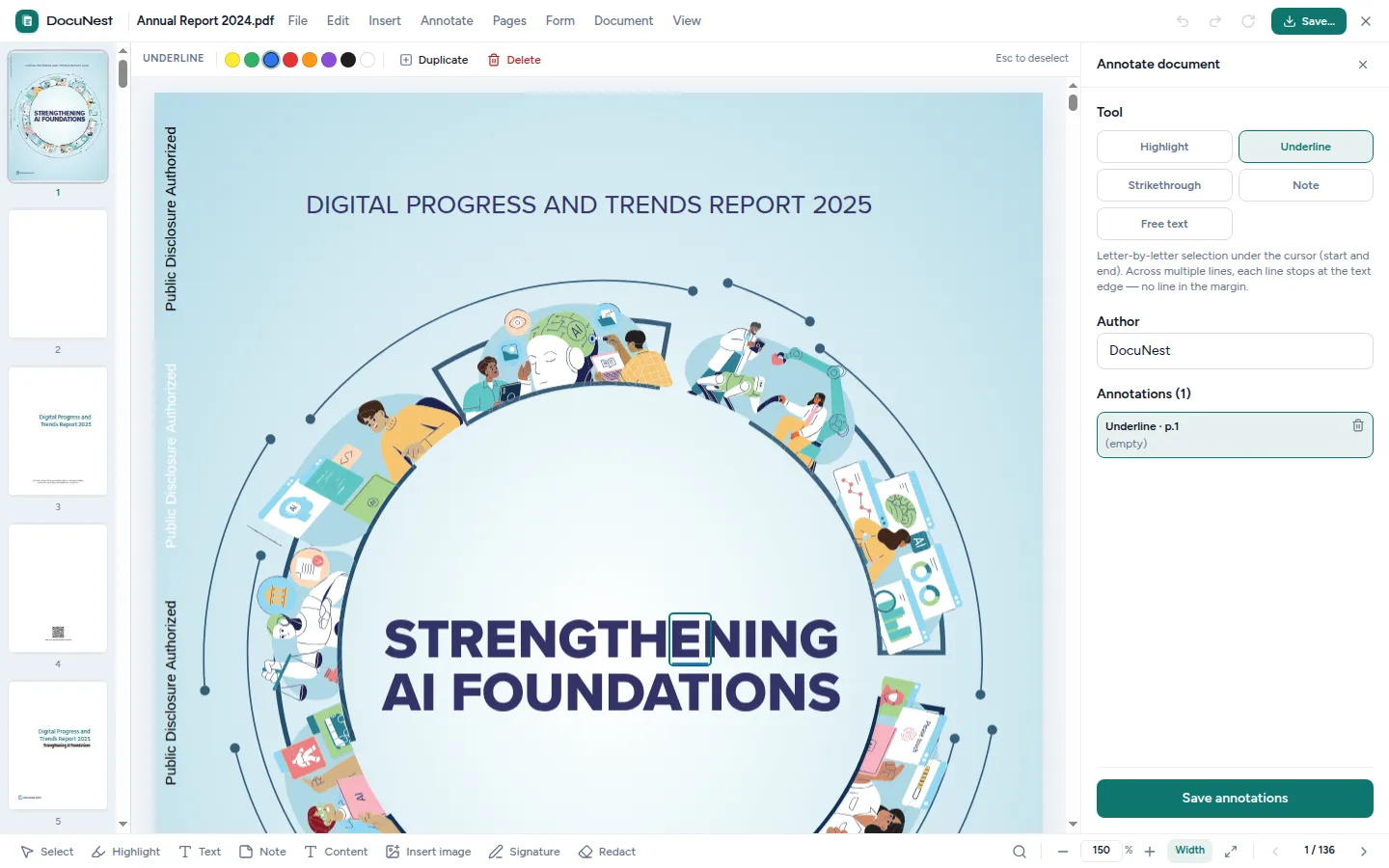
Built into the unified PDF editor. This tool is used directly within the DocuNest editor: open your PDF, apply the action, undo with Ctrl+Z if needed, then move on to any other tool — without ever reloading your file.
Discover the PDF editor →Features
Use cases
Document review
Add remarks for a colleague directly on the pages to be corrected.
Contract review
Underline and annotate clauses to be discussed during a negotiation.
Proofreading
Highlight passages to review before printing a document.
Command line
Same result as the interface, in one command. Nothing leaves your machine.
docunest — zsh
local# Add a note ❯ docunest pdf annotate -i document.pdf --kind note --page 1 --text "To review" --rect "100,700,24,24" -o result.pdf ✓ Done — file written locally, no network upload
Frequently asked questions
Are the annotations visible in all readers?
Can I edit or delete an annotation?
What types of annotations are available?
Similar tools
Edit a PDF
Edit text and images in an existing PDF just like in a word processor: double-click a paragraph, retype, and the content shifts automatically. Directly in DocuNest's unified PDF editor.
💧Watermark (text or image)
Add a text watermark or an image layer to the pages of your PDF. Directly in DocuNest's unified PDF editor (Insert menu).
⬛Redact a PDF
Permanently remove sensitive areas from a PDF: text and images located under the area are irreversibly destroyed. Directly in DocuNest's unified PDF editor (Edit menu).
Stop sending your PDFs to the cloud.
Download DocuNest: the complete editor, 7-day trial, no credit card, no files leaving your machine.
Download for freeDownload DocuNest
No account required, no data collected.
Linux
Install a system package, or use the AppImage if you prefer a portable version.
Your installation in 3 steps
About a minute to set up: afterwards, everything runs offline on your machine.
File downloaded
Pick your system above: the download starts right away.
Open the file
In Downloads, double-click DocuNest_…_setup.exe and follow the installer.
In Downloads, open the .dmg, then drag DocuNest into Applications.
Double-click the package: your software center handles the install. AppImage: mark it executable, then run it.
Run your first job
Open a PDF and try a tool: merge, redact, convert, everything stays on your machine, no account needed.
Shortcut of the day
Try them as soon as the app opens
Opens the tool palette
Windows 10+, macOS 12+ (Apple Silicon), Linux (deb / rpm / AppImage)