Crop a PDF
Crop PDF pages by defining a crop box or uniform margins. Directly in DocuNest's unified PDF editor (Pages menu).
Crop a PDF in DocuNest: 100% local processing on Windows, macOS, and Linux. Automatable via the docunest CLI.
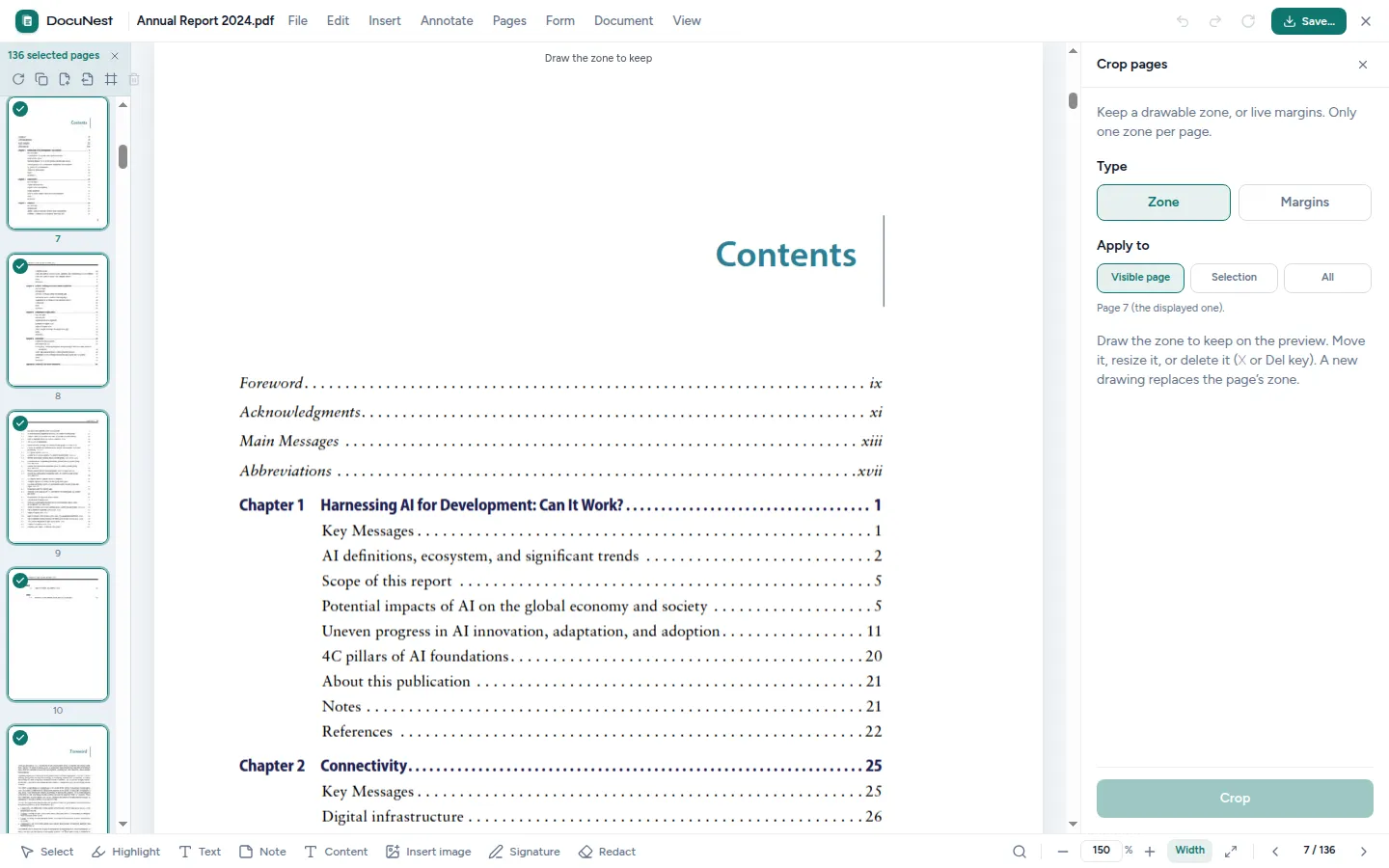
Built into the unified PDF editor. This tool is used directly within the DocuNest editor: open your PDF, apply the action, undo with Ctrl+Z if needed, then move on to any other tool — without ever reloading your file.
Discover the PDF editor →Features
Use cases
Remove margins
Remove excessive margins from a document for optimal on-screen viewing.
Crop a scan
Eliminate black borders from a scanned document.
Adapt to format
Adjust the visible area of a PDF to fit it into a presentation.
Command line
Same result as the interface, in one command. Nothing leaves your machine.
docunest — zsh
local# Crop by rectangle ❯ docunest pdf crop -i document.pdf --rect "50,50,400,600" -o result.pdf ✓ Done — file written locally, no network upload
Frequently asked questions
Is the cropped content deleted?
Can I crop a single page?
Similar tools
Rotate pages
Rotate one or more pages of a PDF by 90°, 180°, or 270°. Directly in DocuNest's unified PDF editor (Pages menu).
🖼️Crop an image
Crop your images by defining a precise crop area using coordinates.
📑Extract pages
Extract one or more pages from a PDF to create a new, lighter document. Directly in DocuNest's unified PDF editor (Pages menu).
Stop sending your PDFs to the cloud.
Download DocuNest: the complete editor, 7-day trial, no credit card, no files leaving your machine.
Download for freeDownload DocuNest
No account required, no data collected.
Linux
Install a system package, or use the AppImage if you prefer a portable version.
Your installation in 3 steps
About a minute to set up: afterwards, everything runs offline on your machine.
File downloaded
Pick your system above: the download starts right away.
Open the file
In Downloads, double-click DocuNest_…_setup.exe and follow the installer.
In Downloads, open the .dmg, then drag DocuNest into Applications.
Double-click the package: your software center handles the install. AppImage: mark it executable, then run it.
Run your first job
Open a PDF and try a tool: merge, redact, convert, everything stays on your machine, no account needed.
Shortcut of the day
Try them as soon as the app opens
Opens the tool palette
Windows 10+, macOS 12+ (Apple Silicon), Linux (deb / rpm / AppImage)