PDF metadata
Read or edit a PDF's metadata: title, author, subject, keywords, dates, and custom fields. Directly in DocuNest's unified PDF editor (Document menu).
PDF metadata in DocuNest: 100% local processing on Windows, macOS, and Linux. Automatable via the docunest CLI.
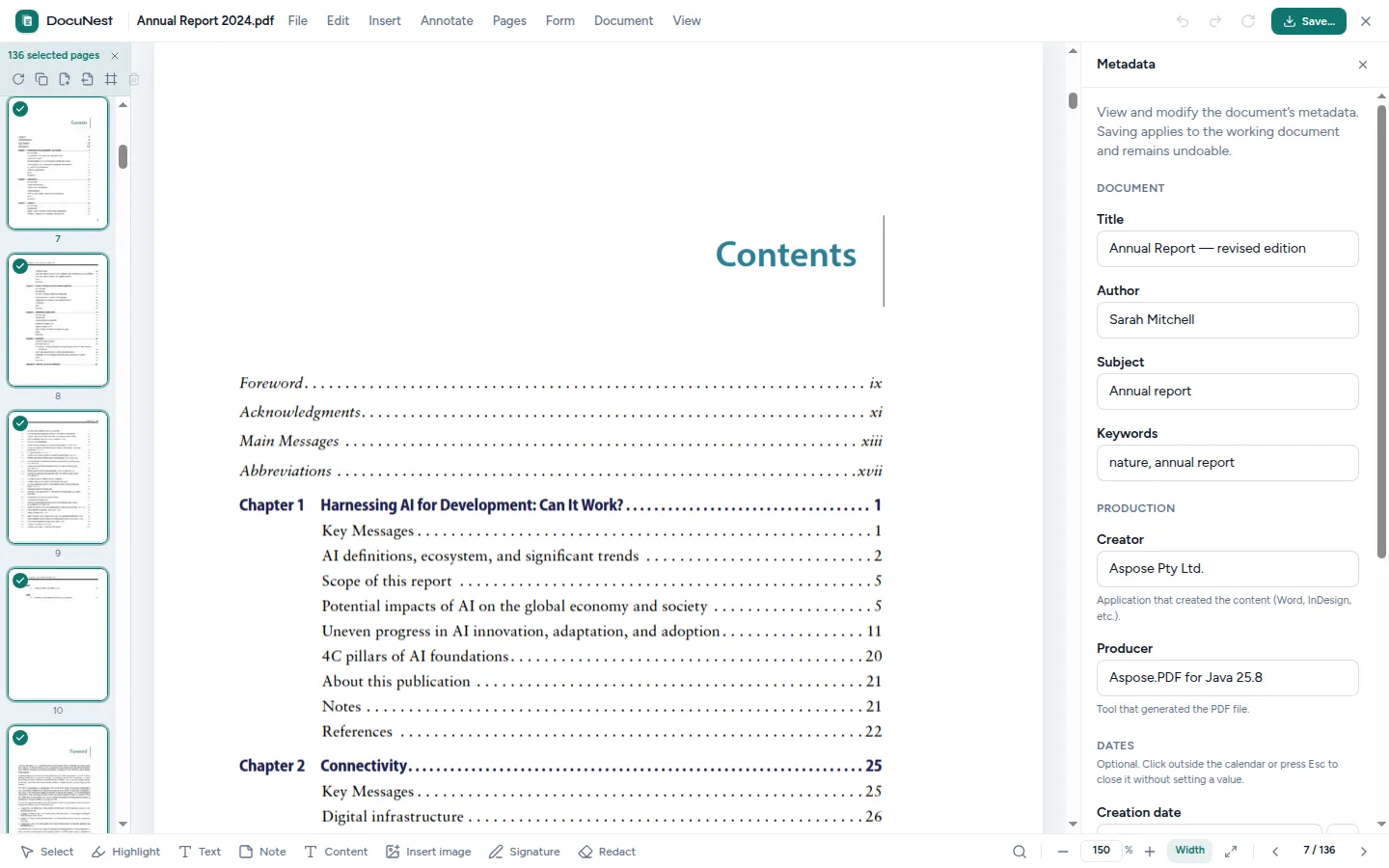
Built into the unified PDF editor. This tool is used directly within the DocuNest editor: open your PDF, apply the action, undo with Ctrl+Z if needed, then move on to any other tool — without ever reloading your file.
Discover the PDF editor →Features
Use cases
Organize a library
Add a title and author to your PDFs to make sorting easier.
Document compliance
Fill in mandatory fields before official archiving.
Verify origin
Check a PDF's metadata to identify its author or creation date.
Command line
Same result as the interface, in one command. Nothing leaves your machine.
docunest — zsh
local# Read metadata ❯ docunest pdf metadata -i document.pdf ✓ Done — file written locally, no network upload
Frequently asked questions
Which fields can be edited?
Does editing affect the content?
Similar tools
Encrypt a PDF
Lock your PDFs with a password and finely manage permissions: printing, copying, modifying. Directly in DocuNest's unified PDF editor.
🔎Find and replace in a PDF
Find text throughout the document and replace it in one click: a specific occurrence or all at once. Directly in DocuNest's unified PDF editor, 100% local.
📝Annotate a PDF
Add notes, free text, highlights, underlines, and strikethroughs to your PDFs — all editable afterwards. Directly in DocuNest's unified PDF editor (Annotation menu).
Stop sending your PDFs to the cloud.
Download DocuNest: the complete editor, 7-day trial, no credit card, no files leaving your machine.
Download for freeDownload DocuNest
No account required, no data collected.
Linux
Install a system package, or use the AppImage if you prefer a portable version.
Your installation in 3 steps
About a minute to set up: afterwards, everything runs offline on your machine.
File downloaded
Pick your system above: the download starts right away.
Open the file
In Downloads, double-click DocuNest_…_setup.exe and follow the installer.
In Downloads, open the .dmg, then drag DocuNest into Applications.
Double-click the package: your software center handles the install. AppImage: mark it executable, then run it.
Run your first job
Open a PDF and try a tool: merge, redact, convert, everything stays on your machine, no account needed.
Shortcut of the day
Try them as soon as the app opens
Opens the tool palette
Windows 10+, macOS 12+ (Apple Silicon), Linux (deb / rpm / AppImage)