Number pages
Add custom page numbers to each page of your PDF. Directly in DocuNest's unified PDF editor (Insert menu).
Number pages in DocuNest: 100% local processing on Windows, macOS, and Linux. Automatable via the docunest CLI.
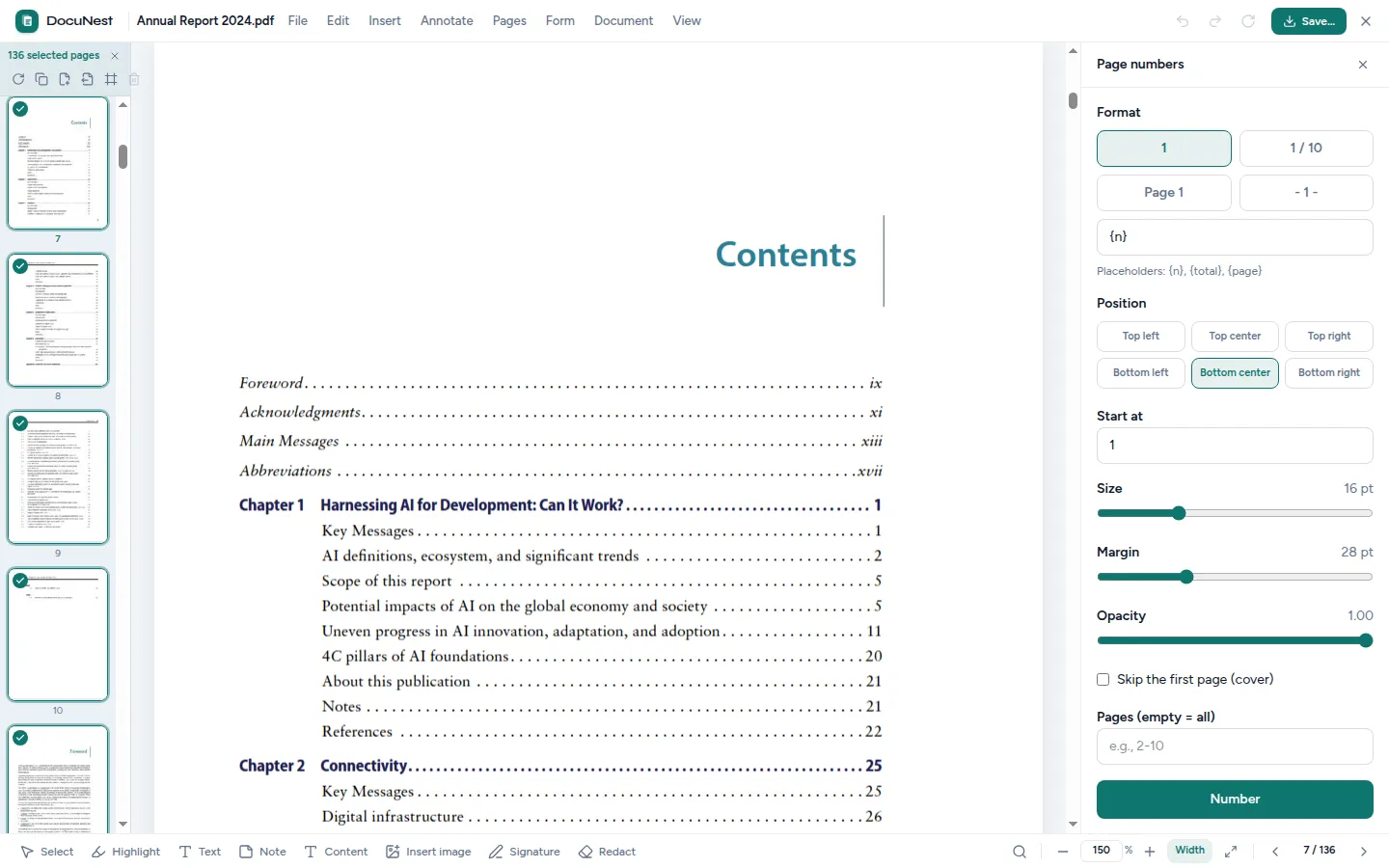
Built into the unified PDF editor. This tool is used directly within the DocuNest editor: open your PDF, apply the action, undo with Ctrl+Z if needed, then move on to any other tool — without ever reloading your file.
Discover the PDF editor →Features
Use cases
Professional report
Add "Page 1/10" at the bottom of each page in a report.
Legal document
Number a contract to facilitate references between parties.
Course material
Add page numbers to teaching materials before printing.
Command line
Same result as the interface, in one command. Nothing leaves your machine.
docunest — zsh
local# Number pages
❯ docunest pdf number-pages -i document.pdf --format "{n}/{total}" --position bottom-center -o result.pdf
✓ Done — file written locally, no network uploadFrequently asked questions
Can I customize the format?
Can I choose the position?
Can I skip numbering the first page?
Are the numbers added to the existing content?
Similar tools
Watermark (text or image)
Add a text watermark or an image layer to the pages of your PDF. Directly in DocuNest's unified PDF editor (Insert menu).
📝Annotate a PDF
Add notes, free text, highlights, underlines, and strikethroughs to your PDFs — all editable afterwards. Directly in DocuNest's unified PDF editor (Annotation menu).
📌Insert images
Insert an image (photo, logo, stamp) at a precise position on a page of your PDF. Directly in DocuNest's unified PDF editor (Insert menu).
Stop sending your PDFs to the cloud.
Download DocuNest: the complete editor, 7-day trial, no credit card, no files leaving your machine.
Download for freeDownload DocuNest
No account required, no data collected.
Linux
Install a system package, or use the AppImage if you prefer a portable version.
Your installation in 3 steps
About a minute to set up: afterwards, everything runs offline on your machine.
File downloaded
Pick your system above: the download starts right away.
Open the file
In Downloads, double-click DocuNest_…_setup.exe and follow the installer.
In Downloads, open the .dmg, then drag DocuNest into Applications.
Double-click the package: your software center handles the install. AppImage: mark it executable, then run it.
Run your first job
Open a PDF and try a tool: merge, redact, convert, everything stays on your machine, no account needed.
Shortcut of the day
Try them as soon as the app opens
Opens the tool palette
Windows 10+, macOS 12+ (Apple Silicon), Linux (deb / rpm / AppImage)