One PDF editor.
All your tools inside.
Open a document: edit text and images, sign, rearrange pages, secure. Everything is there, everything is undoable, everything stays on your computer.
Over 7,000 downloads
7-day free trial · No credit card required · Windows, macOS, Linux
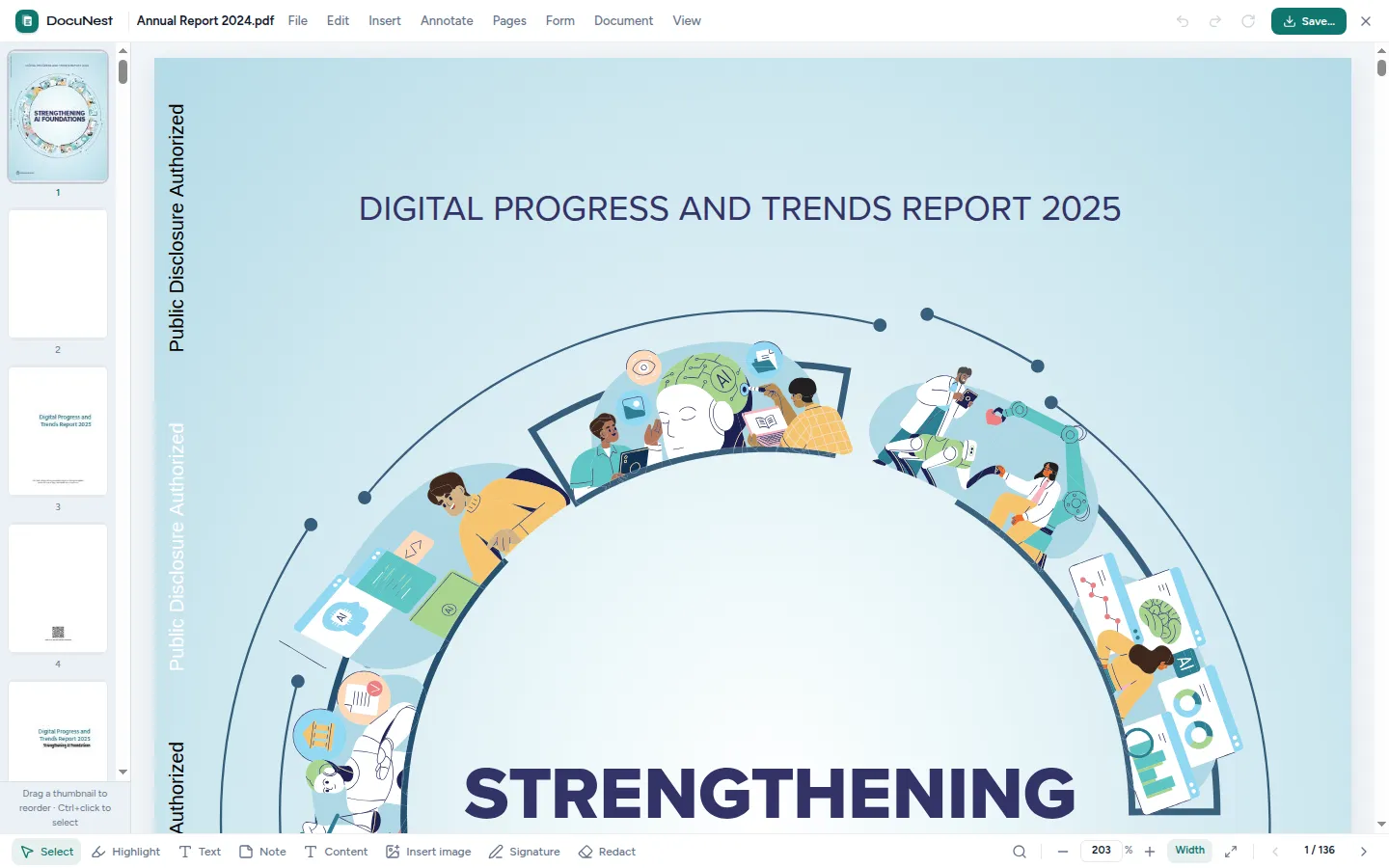
The editor
Everything you usually do across twelve tools — brought together in a single window.
Open a PDF and chain actions: no more importing/exporting between separate tools, no more re-downloading. Every step is undoable.
Edit text, for real
Double-click on a paragraph and retype: the text reflows using the document's font, and the content below shifts automatically.
🖼️Edit embedded images
Replace, move, resize, rotate, or delete images in the document — even replace a logo while keeping its exact placement.
🔎Find and replace everywhere
Find text throughout the document and replace one occurrence or all of them in one click — just like a word processor.
📑Organize your pages
Merge, split, rearrange by drag-and-drop, insert a blank page or another PDF, duplicate, extract — without reloading the file.
🔒Sign and secure
Drawn or imported signature, resizable and rotatable. AES encryption, fine-grained permissions, permanent redaction of sensitive areas.
The flagship feature
Correct a PDF just like in a word processor.
Most PDF "editors" merely place layers over your document. DocuNest genuinely reflows the content: the original font is preserved, line breaks are recalculated, and everything that follows shifts neatly.
- ✓ Double-click a paragraph to edit, natural cursor and selection
- ✓ Embedded fonts preserved, harmonized substitution if a character is missing
- ✓ Images: replace, crop, move, resize, rotate (Shift for free transform)
- ✓ Detection of block roles: headings, body, captions, headers, and footers
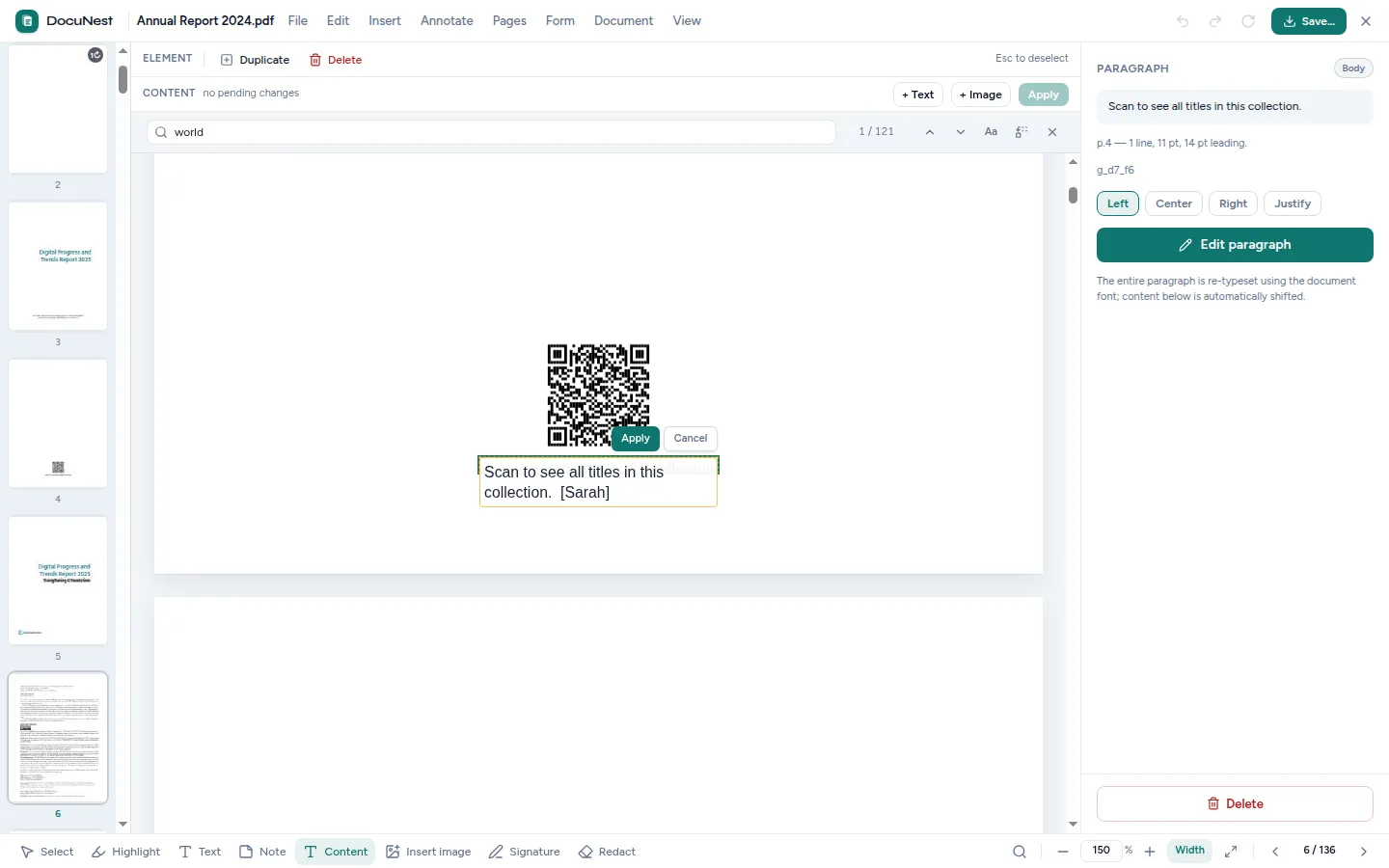
A classic menu bar, nothing new to learn.
The editor uses familiar desktop software conventions: every action is where you expect it, complete with context menus and keyboard shortcuts.
File
- Open a PDF
- Save as
- Merge a PDF
Edit
- Undo / Redo
- Edit content
- Find and replace
- Redact
Insert
- Image on page
- Signature
- Watermark
- Page numbers
Annotate
- Highlight
- Underline
- Strikethrough
- Note
- Free text
Pages
- Blank page
- Duplicate
- Rotate
- Delete
- Rearrange
- Crop
- Insert a PDF
Document
- Compress
- Lock
- Metadata
- Export: split, images, embedded images
View
- Zoom
- Full width / page
- Thumbnails
- Annotations
Experiment risk-free.
Every action — text editing, rotation, redaction, signature — is saved in a step history. Undo boundlessly, redo, or revert to the original document with one click before saving again.
The 19 PDF tools built into the editor.
Each tool retains its detailed page with use cases and CLI commands. Within the app, they all execute on the open document, without switching windows.
Annotate a PDF
🗜️Compress a PDF
✂️Crop a PDF
🗑️Delete pages
✏️Edit a PDF
🔒Encrypt a PDF
🖼️Extract images from a PDF
📑Extract pages
🔎Find and replace in a PDF
📄Merge PDFs
🏷️PDF metadata
#️⃣Number pages
⬛Redact a PDF
📋Reorder pages
🔄Rotate pages
✍️Sign a PDF
✂️Split a PDF
📌Insert images
💧Watermark (text or image)
And alongside the editor
Image tools and conversions remain one click away from the home screen:
Frequently asked questions about the editor
Does editing text ruin the layout?
Can I undo my changes?
Do my documents ever leave my computer?
Are all the tools in the editor?
What signature formats are accepted?
Stop sending your PDFs to the cloud.
Download DocuNest: the complete editor, 7-day trial, no credit card, no files leaving your machine.
Download for freeDownload DocuNest
No account required, no data collected.
Linux
Install a system package, or use the AppImage if you prefer a portable version.
Your installation in 3 steps
About a minute to set up: afterwards, everything runs offline on your machine.
File downloaded
Pick your system above: the download starts right away.
Open the file
In Downloads, double-click DocuNest_…_setup.exe and follow the installer.
In Downloads, open the .dmg, then drag DocuNest into Applications.
Double-click the package: your software center handles the install. AppImage: mark it executable, then run it.
Run your first job
Open a PDF and try a tool: merge, redact, convert, everything stays on your machine, no account needed.
Shortcut of the day
Try them as soon as the app opens
Opens the tool palette
Windows 10+, macOS 12+ (Apple Silicon), Linux (deb / rpm / AppImage)
7-day free trial · €30 lifetime license · 30-day refund