A PDF Expert Alternative Without the Subscription
PDF Expert is a fine app — until the yearly fee comes due. DocuNest is an offline PDF editor for Mac you buy once for €30 and own for good.
Why Mac users are looking for a PDF Expert alternative
PDF Expert by Readdle spent years as the default answer to "which PDF editor should I buy for my Mac?" — and the moment you decide to look elsewhere is rarely about the editing itself. In forum threads and app reviews, the same three triggers come up again and again:
- The switch to a subscription. PDF Expert used to be a one-time purchase. It is now sold through App Store subscription tiers, so the app you "owned" quietly became a rental — and loyalty is not rewarded with a legacy price.
- AI features and sensitive documents. Recent versions add AI-powered scanning, and users handling confidential files report they simply want a way to opt out entirely. When your contracts, medical records, or client files are in the mix, "the vendor promises not to look" is not a privacy policy you control.
- An Apple-only ecosystem. PDF Expert exists on Mac, iPhone, and iPad — and nowhere else. The moment a Windows PC or a Linux machine enters the picture, your license stops meaning anything.
PDF Expert at a glance (September 2026)
To be fair to the incumbent before comparing: PDF Expert is a mature, well-designed editor from Readdle with excellent performance and a genuinely good iPad experience. Its current model:
- Platforms: macOS, iPhone, iPad — no Windows or Linux version.
- Pricing: subscription via the App Store — about $49.99/year for the Mac app, $79.99/year with iOS included (App Store pricing, September 2026).
- Account: an Apple ID and App Store subscription management are part of the deal.
- Processing: recent releases lean on AI features that require connectivity for parts of the workflow.
Quick comparison: PDF Expert vs DocuNest vs Preview
If you are evaluating a PDF Expert alternative, the realistic shortlist comes down to a paid editor you own, PDF Expert itself, or the free editor already on your Mac. Here is how they compare on the things that actually matter day to day:
| Feature | DocuNest | PDF Expert | Preview |
|---|---|---|---|
| Price | €30 (One-time) | ~€50 / year | Free |
| License | Lifetime | Subscription | — |
| Platforms | macOS, Windows, Linux | Mac, iPhone, iPad | macOS only |
| True text editing | |||
| 100% offline: files never leave your device | AI features need connectivity | ||
| Account required | |||
| Redaction & password security |
Where DocuNest beats PDF Expert
We designed DocuNest around the frustrations that make people leave subscription PDF software, so this is the part we are confident about:
- Pay once, keep it forever. A single €30 payment is the whole cost. No renewal emails, no price changes on your next bill, no "premium tier" gates later.
- Your files never leave your Mac. DocuNest is 100% offline. There is no cloud sync, no AI scanning, no upload step — which is exactly what you want for confidential documents.
- One license, three platforms. The same license covers macOS, Windows, and Linux, so your PDF tooling survives your next hardware decision.
- No account, ever. Download, install, open a PDF. There is no sign-up, no license portal, and nothing phoning home.
- A complete toolkit. Real text editing, find and replace, merge and split, page reordering, signing, watermarks, permanent redaction, encryption, and metadata control — all local.
Where PDF Expert still wins
No honest comparison pretends otherwise, and you will not find this section in a vendor blog: PDF Expert remains ahead in a few areas. Its iPhone and iPad apps are excellent, and the handoff between Apple devices is seamless — if you annotate on your iPad during your commute and finish on your Mac, that continuity is real value. Readdle's interface polish comes from a decade of refinement, and if your documents already live in iCloud-driven workflows, the integration is frictionless. If those are your priorities and you are happy renting the app, PDF Expert is still a good product. The case for an alternative is about ownership, privacy, and platform freedom — not about PDF Expert being broken.
The price over three years
Subscription pricing feels small monthly and large eventually, so here is the arithmetic in one line: PDF Expert's Mac subscription at about $49.99/year costs roughly $150 over three years — for the same PDF Expert next year as this year. A €30 one-time purchase covers those three years, and the five after them, for less than a quarter of the price.
3-year cost of ownership
PDF Expert (subscription)
~$150
3 × $49.99, keeps billing
DocuNest (one-time)
€30
Paid once, yours for good
See the full details on our one-time €30 pricing page.
How to switch from PDF Expert to DocuNest
Switching takes minutes, and the part people worry about — their existing documents — turns out to be a non-issue. PDF Expert saves standard PDF files, and standard means portable: anything you ever created there opens directly in DocuNest, no conversion, no import step.
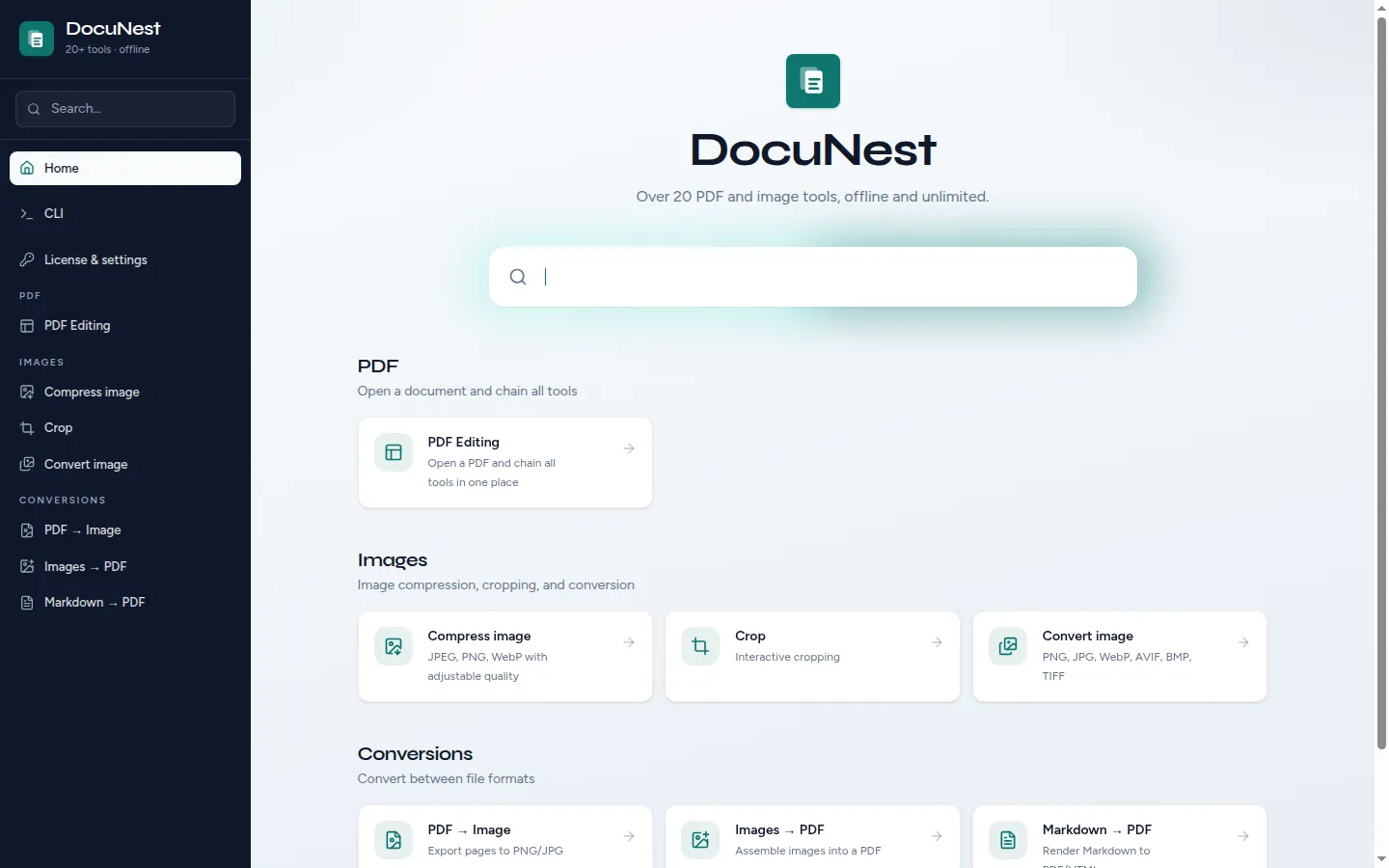
Install DocuNest
Download the Mac installer and drag DocuNest to your Applications folder. No account creation, no App Store subscription — the 7-day trial starts immediately.
Open your PDF Expert documents
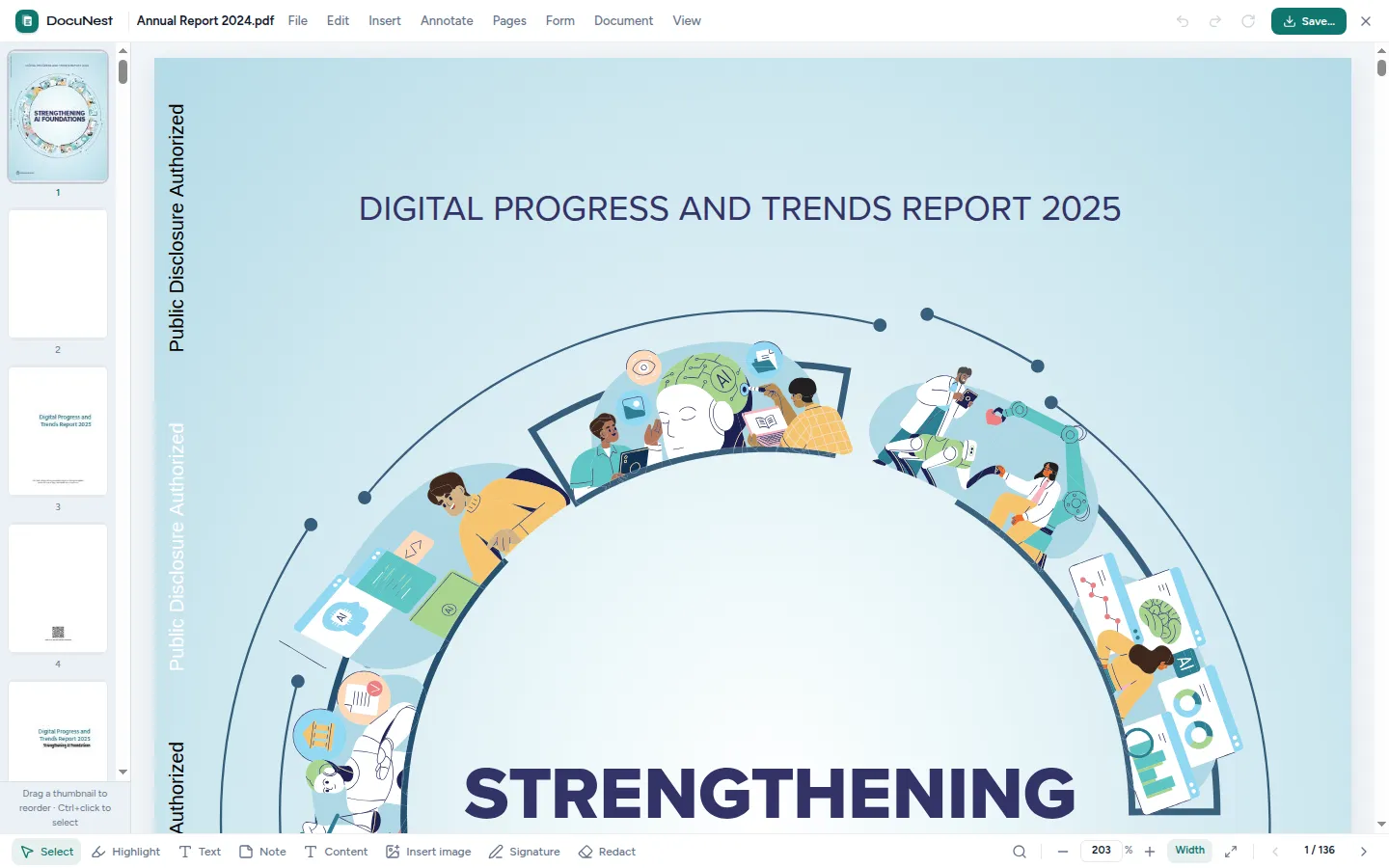
Drag any PDF straight into DocuNest — including files annotated or edited in PDF Expert. Annotations, form fields, and formatting come along intact.
Edit and save — then cancel your subscription
Edit text, rearrange pages, sign, or redact as usual, then hit `Cmd + S`. Once your workflow runs entirely in DocuNest, cancel the PDF Expert subscription and keep the €30 lifetime license.
What about free options?
Two free routes come up often, and each has a catch worth knowing. Apple Preview is already on your Mac and handles annotations, form filling, signatures, and page reordering well — but it cannot edit the text inside an existing PDF, which is usually the reason you went looking for PDF Expert in the first place. PDFgear is a genuinely free editor, though its free-ness is funded by promoting AI cloud features that sit awkwardly with the privacy concerns that led you here. For heavy confidential use, an editor whose business model is "you paid once" is easier to trust. And if Adobe's name is what you are trying to escape rather than Readdle's, we also compare DocuNest as an Adobe Acrobat alternative for Mac.