A Windows Alternative to Adobe Acrobat
Edit, merge, and secure your PDFs natively on Windows 10 and 11, without the bloat or expensive subscriptions.
Looking for an Adobe Acrobat Alternative on Windows?
Windows users have relied on Adobe Acrobat for decades, but the landscape has changed. With the shift toward recurring subscriptions and heavy cloud integration, many professionals on Windows 10 and 11 are seeking a lighter, faster, and more privacy-focused alternative.
Whether you are working on a high-end desktop workstation or a Windows laptop on the go, you need a PDF editor that respects your system's resources and doesn't force you into a cloud ecosystem.
Why Choose DocuNest for Windows?
DocuNest was designed to address the specific frustrations of modern PDF software. Here is why it stands out on Windows:
- Native Performance: DocuNest launches instantly. There are no heavy background services dragging down your Windows startup time.
- 100% Offline Privacy: All file processing happens locally on your PC. Your sensitive documents are never uploaded to the internet, making it ideal for confidential business on Windows.
- Comprehensive Features: Despite being lightweight, it packs true text editing, document merging, form filling, and permanent redaction.
- One-Time Price: Forget monthly fees. A single €30 payment grants you a lifetime license for the software.
- Simple Installation: Download the installer, run it, and you're ready to go. No forced Adobe Creative Cloud agent or account creation required.
DocuNest vs Adobe Acrobat on Windows
How does a €30 one-time software compare to the industry standard? Here is a breakdown of the features you actually use.
| Feature | DocuNest | Adobe Acrobat Pro |
|---|---|---|
| Price | €30 (One-time) | ~€240 / year |
| Offline text & image editing | ||
| Merge & Split PDFs | ||
| Redaction & Password Security | ||
| Background services on Windows | None | Multiple (Creative Cloud, etc.) |
| Account required to run |
How to Edit a PDF on Windows With DocuNest
Getting started with DocuNest on Windows is incredibly straightforward. Here is how you can edit your first PDF in minutes.
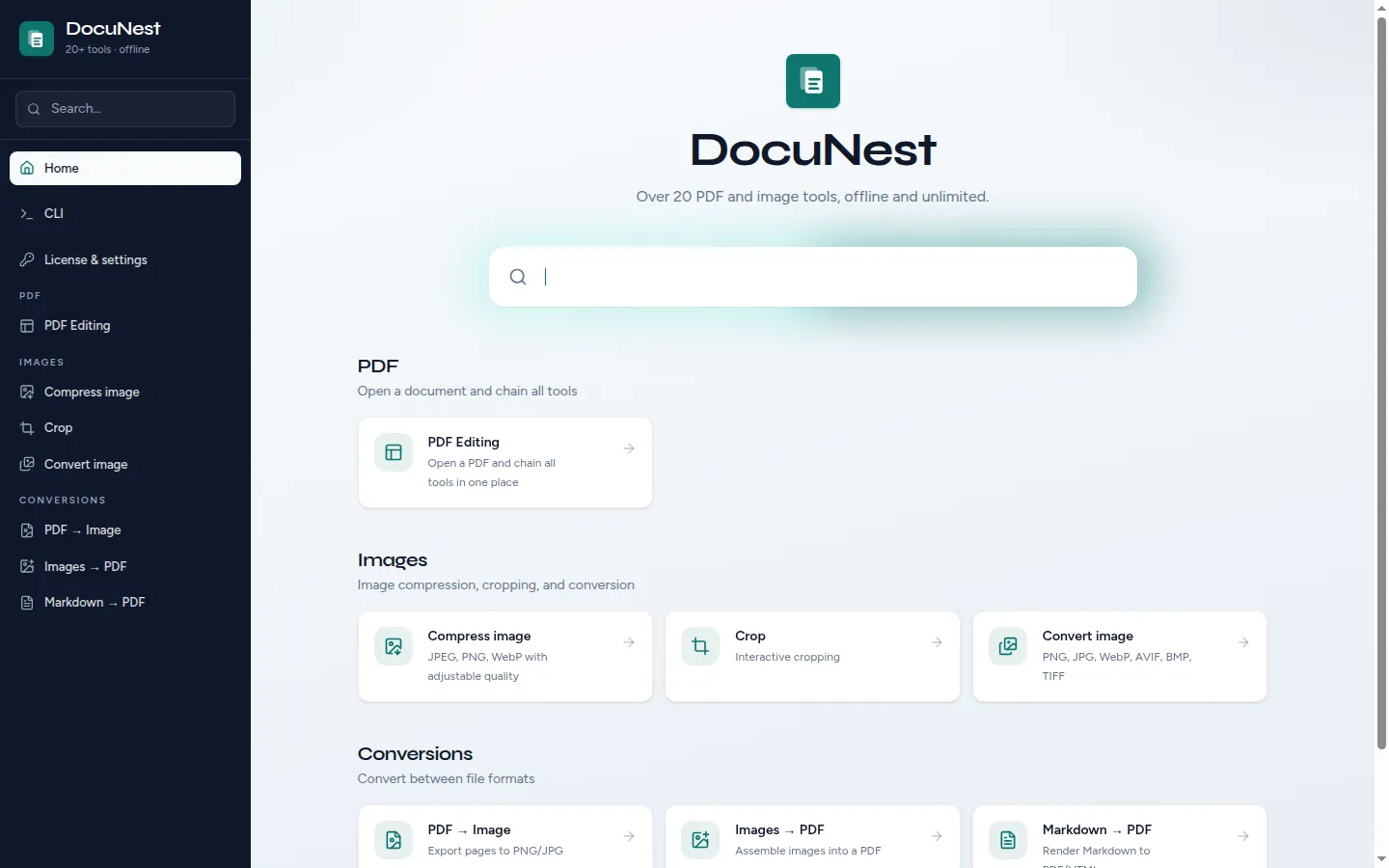
Install DocuNest
Download the Windows installer from our website. Run the `.exe` file, and within seconds, DocuNest will be installed on your PC without any required account creation.
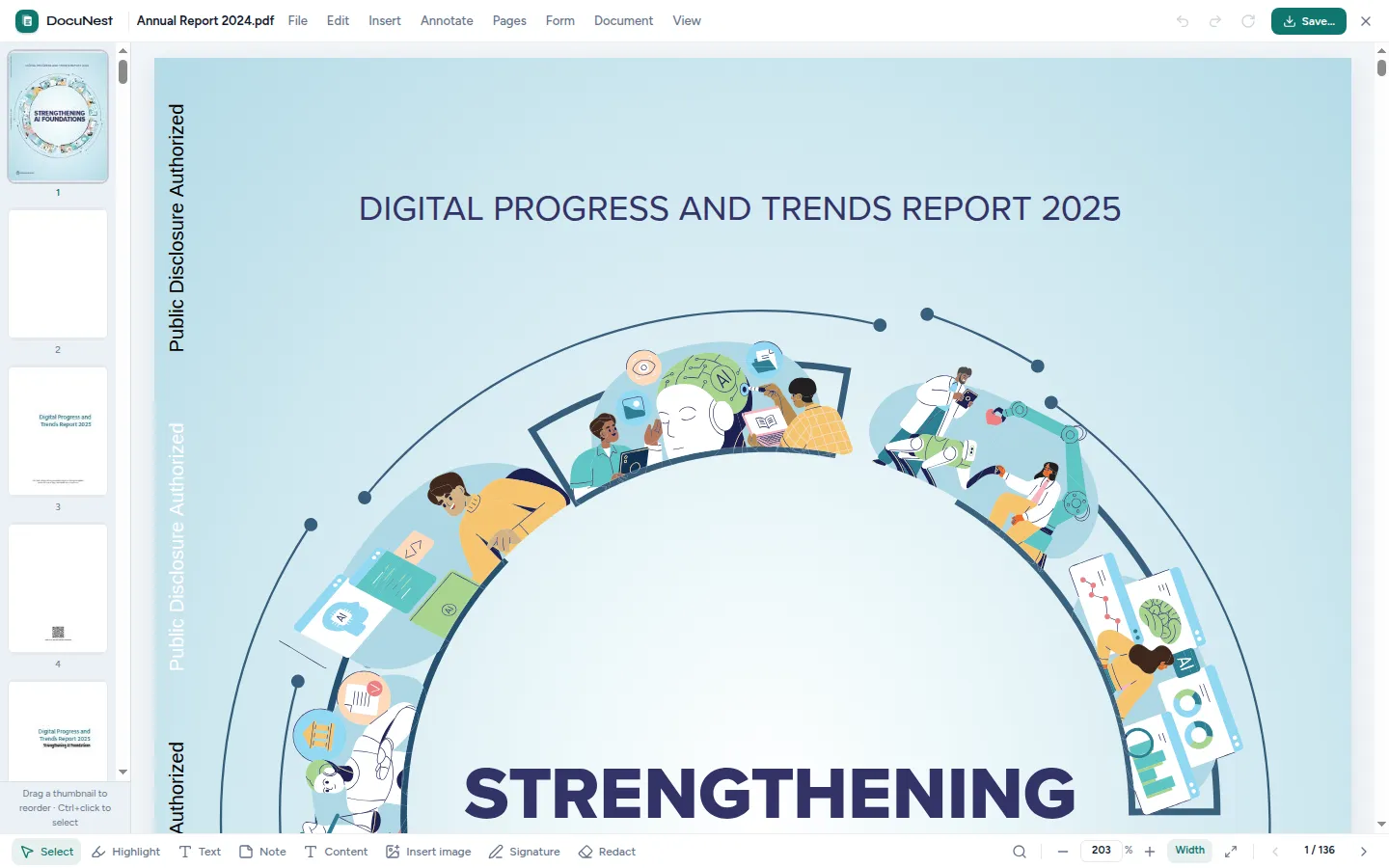
Open Your PDF
Launch DocuNest from your Start Menu. Click "Open File" or simply drag and drop your PDF document directly into the application window.
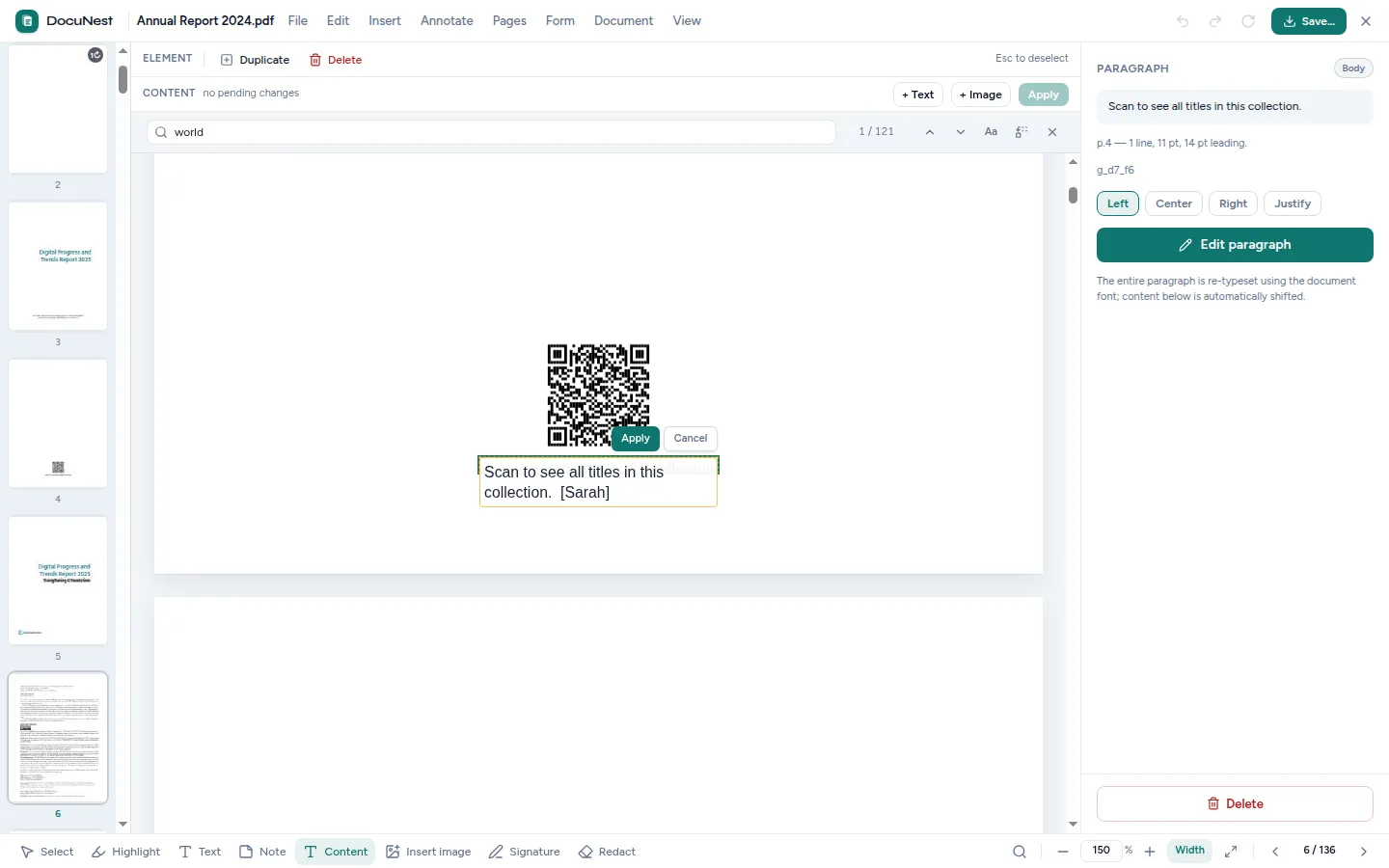
Edit Text and Images
Select the "Edit" tool from the sidebar. You can now click on any paragraph to modify the text, change fonts, or drag images to reposition them.
Save Your Document
Once your edits are complete, hit `Ctrl + S` or go to File > Save. Your updated PDF is saved instantly to your local hard drive, ready to be shared or printed.
How Much Does It Cost?
One of the main reasons users leave Adobe Acrobat is the subscription model. DocuNest brings back the traditional software license.
€30 One-Time Payment
When you purchase DocuNest, you buy a lifetime license. There are no monthly subscriptions, no hidden fees, and no unexpected charges on your credit card.
- Unlimited access to all tools
- Works offline forever
- Free minor updates included